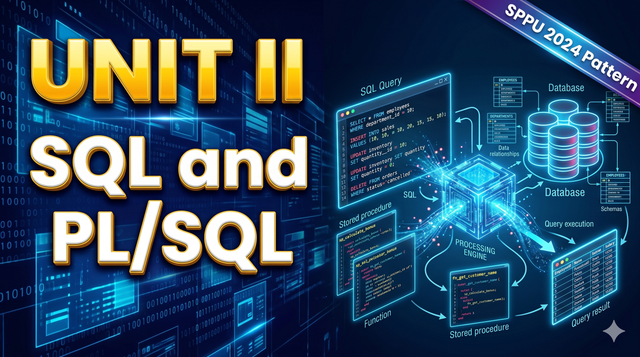
Unit 2 – SQL and PL/SQL | DBMS SPPU 2024 Pattern
Introduction to SQL and Database Programming
Structured Query Language (SQL) is the standard language used to interact with Relational Database Management Systems (RDBMS). It allows users to create, read, update, and delete data, as well as manage database structures like tables, views, and indexes.
While SQL is excellent for data manipulation, it lacks programming constructs like loops and conditional statements. This limitation is resolved by PL/SQL (Procedural Language extension to SQL), which combines the data manipulation power of SQL with the processing power of procedural languages. This article provides a comprehensive, textbook-style breakdown of essential SQL concepts and PL/SQL programming constructs.
SQL Command Categories
SQL commands are divided into different categories based on their functionality. The four primary categories are DDL, DML, DCL, and TCL.
1. Data Definition Language (DDL)
DDL commands are used to define or modify the structure of the database. They deal with database schemas and descriptions of how the data should reside in the database.
CREATE: Used to create new databases, tables, or other objects.
ALTER: Used to modify the structure of an existing database object (e.g., adding a column to a table).
DROP: Used to permanently delete an object from the database.
TRUNCATE: Used to remove all records from a table, but leaves the table structure intact.
2. Data Manipulation Language (DML)
DML commands deal with the actual data present inside the database tables.
INSERT: Adds new rows (records) into a table.
UPDATE: Modifies existing data within a table.
DELETE: Removes one or more rows from a table based on a condition.
Hinglish Explanation: DDL commands database ka "structure" (jaise ghar ka naksha) banate aur change karte hain. DML commands us structure ke andar ka "data" (jaise ghar ke andar ka furniture) manage karte hain. Agar aapko table banani hai to DDL, aur agar table mein data dalna hai to DML use hoga.
3. Data Control Language (DCL)
DCL commands manage the rights and permissions of database users.
GRANT: Gives specific access privileges to a user.
REVOKE: Takes back access privileges granted to a user.
4. Transaction Control Language (TCL)
TCL commands manage transactions in the database. A transaction is a sequence of SQL operations treated as a single unit.
COMMIT: Permanently saves all changes made during the current transaction.
ROLLBACK: Undoes changes made in the current transaction, reverting the database to its previous state.
SAVEPOINT: Sets a point within a transaction to which you can later roll back.
Data Query Language: The SELECT Query
The SELECT statement is the most commonly used command in SQL. It is used to retrieve data from one or more tables.
Basic Syntax:
SELECT column1, column2 FROM table_name WHERE condition;
To select all columns from a table, an asterisk (*) is used: SELECT * FROM Employees;
The WHERE clause filters the data based on specific conditions (e.g., WHERE Salary > 50000).
SQL Functions
Functions are built-in SQL operations that accept inputs, perform processing, and return a result. They are divided into several categories.
1. String Functions
Used to manipulate character data.
UPPER(string): Converts text to uppercase.
LOWER(string): Converts text to lowercase.
LENGTH(string): Returns the number of characters in a string.
SUBSTR(string, start, length): Extracts a portion of a string.
2. Date Functions
Used to manipulate date and time values.
SYSDATE / CURRENT_DATE: Returns the current system date and time.
ADD_MONTHS(date, n): Adds 'n' months to a specific date.
MONTHS_BETWEEN(date1, date2): Calculates the number of months between two dates.
3. Numerical Functions
Used to perform mathematical operations.
ROUND(number, decimal_places): Rounds a number to a specified number of decimal places.
TRUNC(number, decimal_places): Truncates a number (removes digits without rounding).
MOD(number, divisor): Returns the remainder of a division operation.
4. Aggregate Functions
Aggregate functions operate on a group of rows and return a single summarizing value. They are extensively used in data analysis.
COUNT(): Returns the total number of rows.
SUM(): Calculates the total sum of a numeric column.
AVG(): Calculates the average value of a numeric column.
MAX(): Finds the highest value in a column.
MIN(): Finds the lowest value in a column.
Hinglish Explanation: String, Date, aur Numerical functions "Single-row functions" hote hain; matlab har ek row ke liye ek result dete hain. Par Aggregate functions bahut saari rows ko mila kar ek single final answer dete hain (jaise poori class ke marks ka SUM ya AVG nikalna).
GROUP BY and HAVING Clauses
The GROUP BY Clause
The GROUP BY clause is used to group rows that have the same values in specified columns into summary rows. It is almost always used in conjunction with aggregate functions.
Syntax Example:
SELECT Department, COUNT(EmployeeID) FROM Employees GROUP BY Department;
(This query counts the number of employees in each department.)
The HAVING Clause
The WHERE clause cannot be used with aggregate functions. To filter groups based on aggregate results, SQL uses the HAVING clause.
Syntax Example:
SELECT Department, SUM(Salary) FROM Employees GROUP BY Department HAVING SUM(Salary) > 500000;
Hinglish Explanation: WHERE clause akeli-akeli rows ko filter karta hai, jabki HAVING clause "groups" ko filter karta hai. Agar filter karne ki condition mein aggregate function (jaise SUM, COUNT) use ho raha hai, toh humesha HAVING use hoga, WHERE nahi.
Join Queries
In relational databases, data is distributed across multiple tables. To combine data from two or more tables based on a related column, SQL provides Join operations.
1. INNER JOIN
Returns only the rows where there is a match in both tables.
Example: Fetching employee names and their corresponding department names. If an employee is not assigned a department, they will not appear in the result.
2. LEFT (OUTER) JOIN
Returns all rows from the left table, and the matched rows from the right table. If there is no match, NULL values are shown for the right table's columns.
3. RIGHT (OUTER) JOIN
Returns all rows from the right table, and the matched rows from the left table. If there is no match, NULL values are shown for the left table.
4. FULL (OUTER) JOIN
Returns all rows when there is a match in either the left or right table. It combines the results of both LEFT and RIGHT joins.
Set Operations and Set Membership
Set Operations
SQL supports mathematical set operations to combine the result sets of two or more SELECT queries into a single result set.
UNION: Combines the results of two queries and removes duplicate rows.
UNION ALL: Combines the results of two queries but keeps duplicates.
INTERSECT: Returns only the rows that are common to both queries.
MINUS (or EXCEPT): Returns rows from the first query that are not present in the second query.
Important Note: To use set operations, both queries must have the same number of columns, and the data types of corresponding columns must be compatible.
Set Membership Operators
Membership operators check if a value exists within a specific set of values.
IN: Checks if a value matches any value in a given list or subquery.
SELECT * FROM Students WHERE City IN ('Mumbai', 'Pune', 'Delhi');
NOT IN: Checks if a value does not exist in the given list.
Nested Queries (Subqueries)
A nested query, or subquery, is a query placed inside another query. The outer query depends on the result of the inner query.
Working Mechanism:
Usually, the inner query executes first. Its output is passed to the outer query, which then executes based on that input.
Example: Find the names of employees earning more than the average salary.
SELECT Name FROM Employees WHERE Salary > (SELECT AVG(Salary) FROM Employees);
Hinglish Explanation: Nested query ka matlab hai ek query ke andar dusri query. Database pehle andar wali (inner) query ko solve karta hai, uska jo answer aata hai, use bahar wali (outer) query mein daal kar final result nikalta hai.
Views and Indexes
View
A View is a virtual table based on the result-set of an SQL statement. It contains rows and columns just like a real table, but the data is derived from one or more physical tables.
Advantages: Enhances security by hiding complex queries and restricting user access to specific columns of a table.
Syntax: CREATE VIEW view_name AS SELECT column1, column2 FROM table_name WHERE condition;
Index
An Index is a database performance optimization structure. It operates like an index in a textbook, allowing the database engine to find and retrieve specific rows much faster than scanning the entire table.
Advantages: Dramatically speeds up SELECT operations.
Disadvantages: Slows down DML operations (INSERT, UPDATE, DELETE) because the index must also be updated every time data changes.
Introduction to PL/SQL
PL/SQL stands for Procedural Language extension to SQL. It is Oracle's proprietary language that allows developers to write block-structured code containing SQL statements alongside procedural constructs like variables, conditions, and loops.
PL/SQL Block Structure
Every PL/SQL program consists of blocks. A basic block has three sections:
DECLARE: (Optional) Used to declare variables, cursors, and user-defined exceptions.
BEGIN: (Mandatory) Contains executable statements (SQL and PL/SQL logic).
EXCEPTION: (Optional) Used to handle errors that occur during execution.
END;: (Mandatory) Marks the end of the block.
PL/SQL Control Statements
Control statements guide the flow of execution within a PL/SQL block.
1. Conditional Statements (IF-THEN-ELSE)
Used to execute code based on specific conditions.
Plaintext
IF condition THEN
statement1;
ELSIF condition2 THEN
statement2;
ELSE
statement3;
END IF;
2. Loop Statements
Loops allow the execution of a set of statements repeatedly.
Basic LOOP: Executes endlessly until an EXIT condition is met.
WHILE Loop: Executes as long as a specified condition remains true.
FOR Loop: Executes a specific number of times.
Cursors in PL/SQL
When an SQL statement is executed, the database allocates a temporary memory area called a context area. A Cursor is a pointer to this memory area. It allows the program to process multiple rows returned by a query, one row at a time.
Types of Cursors:
Implicit Cursors: Automatically created by PL/SQL for all DML operations (INSERT, UPDATE, DELETE) and single-row SELECT statements. The programmer has no direct control over them.
Explicit Cursors: Created by the programmer to handle SELECT statements that return more than one row.
Steps to use an Explicit Cursor:
DECLARE the cursor in the declaration section.
OPEN the cursor in the execution section (allocates memory).
FETCH data from the cursor one row at a time into variables.
CLOSE the cursor to release the allocated memory.
Hinglish Explanation: Normal SQL query sara data ek sath screen par dikha deti hai. Par programming mein humein data par line-by-line kaam karna hota hai. Cursor ek pointer ki tarah kaam karta hai jo result ki ek-ek row uthata hai aur variables mein daalta hai taaki hum us par operations perform kar sakein.
Stored Procedures and Functions
Procedures and Functions are named PL/SQL blocks that are stored in the database. They allow code reusability and improve performance by reducing network traffic.
Stored Procedure
A procedure is a subprogram that performs a specific action. It does not necessarily return a value directly (though it can return values using OUT parameters).
Application: Used for executing business logic, inserting records, or updating complex tables.
Function
A function is similar to a procedure, but it has a strict rule: It must return exactly one value.
Application: Used mostly for complex calculations and data formatting.
Comparison Table:
Feature | Stored Procedure | Function |
Return Value | May or may not return a value. | Must return exactly one value. |
Usage | Primarily for executing business logic. | Primarily for computations. |
Call Method | Executed as an independent statement (EXECUTE). | Called as part of an SQL expression (e.g., inside SELECT). |
Database Triggers
A Trigger is a specialized stored PL/SQL block that automatically executes (or "fires") when a specific event occurs in the database.
Features of Triggers
They cannot be called explicitly by the user; they are fired automatically by the RDBMS.
They are associated with specific tables or views.
Events that fire triggers include INSERT, UPDATE, and DELETE.
Types of Triggers
Row-Level Triggers: Fire once for each row affected by a DML statement.
Statement-Level Triggers: Fire only once per DML statement, regardless of how many rows are affected.
BEFORE / AFTER Triggers: Define whether the trigger should fire before the event happens (e.g., to validate data) or after the event happens (e.g., to maintain audit logs).
Hinglish Explanation: Trigger database ka ek automatic guard hota hai. Jaise hi table mein koi data Insert, Update ya Delete hota hai, Trigger apne aap activate (fire) ho jata hai. Iska sabse zyada use backup lene ya galat data ko table mein jaane se rokne ke liye hota hai.
Summary and Key Takeaways
SQL commands are systematically categorized into DDL (structure), DML (data), DCL (permissions), and TCL (transactions).
Aggregate functions summarize data, and when paired with GROUP BY, the HAVING clause must be used instead of WHERE for filtering.
Joins combine data from different tables using common columns, forming the backbone of relational database queries.
Nested queries execute inside out, allowing complex conditional data retrieval.
PL/SQL bridges the gap between database querying and traditional programming by introducing loops, conditional logic, and modularity.
Cursors are essential for processing multi-row queries row-by-row in PL/SQL.
Procedures and Functions promote code reusability, while Triggers automate tasks securely at the database level.
SEO Keywords Section
Search keywords related to this topic:
SQL DDL DML DCL TCL explanation, SQL string date numerical aggregate functions, SQL Group by and Having clause difference, Join queries in SQL Inner Left Right Full, SQL Set operations Union Intersect Minus, Nested queries and subqueries in database, SQL Set membership IN NOT IN, Database Views and Indexes tutorial, PL/SQL fundamentals for beginners, PL/SQL Control statements IF FOR WHILE, PL/SQL Implicit and Explicit Cursors, Difference between Stored Procedure and Function, Database Triggers in PL/SQL, Computer Engineering database notes, SPPU 2024 Pattern DBMS syllabus topics, Database Management System full guide, SQL exam preparation notes, PL/SQL programming concepts.
Download PDF Notes & Get Updates
Join our WhatsApp channel for free PDF downloads and instant notifications when new notes drop.
Advertisement
Comments (0)
Sign in to join the discussion