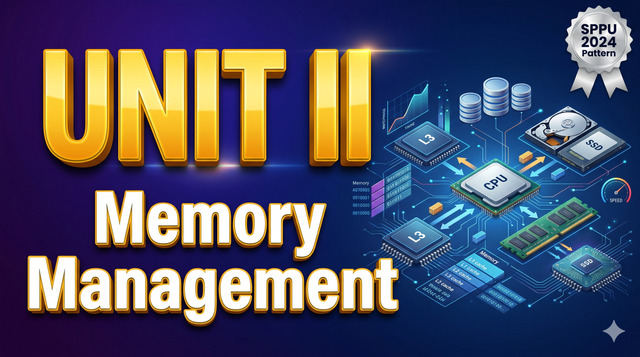
Unit 2 – Memory Management | COM SPPU 2024 Pattern
Introduction to Memory Systems
In a computer system, the processor (CPU) executes instructions and processes data. However, the CPU cannot store all the data and programs internally. It requires a memory system to hold information.
An ideal memory system would be infinitely fast, infinitely large, and non-volatile (retaining data when power is turned off). In reality, no single memory technology meets all these requirements. Fast memory is expensive and small, while cheap memory is large but slow. Therefore, modern computers use a combination of different memory types organized systematically to achieve high performance at a reasonable cost.
Characteristics of Memory Systems
To understand and design a memory system, it is necessary to analyze its key characteristics. These factors determine how the memory behaves, its cost, and its speed.
Location
Memory can be located at different levels relative to the CPU:
CPU Registers: Internal to the processor, providing immediate data access.
Internal Memory (Main Memory): Directly accessible by the CPU via the system bus (e.g., RAM).
External Memory (Secondary Storage): Accessible by the CPU through Input/Output (I/O) controllers (e.g., Hard Disk Drives, Solid State Drives).
Capacity
Capacity is the total amount of data a memory unit can store.
For internal memory, capacity is typically expressed in Bytes (B), Kilobytes (KB), Megabytes (MB), or Gigabytes (GB).
For external memory, it is generally measured in Gigabytes (GB) or Terabytes (TB).
Unit of Transfer
This refers to the number of data bits read out of or written into memory at a time.
Word: The natural organization unit of memory, usually equal to the number of bits used to represent an integer or the instruction length.
Addressable Units: The smallest grid of memory that can be uniquely addressed. In many systems, this is a byte (8 bits).
Access Methods
How data is retrieved from the memory determines its access method:
Sequential Access: Memory is accessed in a specific linear sequence. To read the 10th record, the system must pass through the first 9 records (e.g., Magnetic Tapes).
Direct Access: Shared read/write mechanisms are used, but every block has a unique address based on physical location. Access is a combination of moving to the vicinity and then sequentially searching (e.g., Hard Disks).
Random Access: Any location in memory can be accessed directly and addressed arbitrarily. The time to access any location is completely independent of the sequence of prior accesses (e.g., RAM).
Associative Access: A random-access type where a word is retrieved based on a portion of its contents rather than its address (e.g., Cache Memory).
Performance Parameters
Three main metrics measure memory performance:
Access Time (Latency): The time it takes to perform a read or write operation, from the moment the address is presented to the moment the data is available.
Memory Cycle Time: The access time plus any additional time required before a second access can commence (cooling down or recovering time).
Transfer Rate: The rate at which data can be transferred into or out of a memory unit, measured in bits per second (bps) or bytes per second (B/s).
Physical Types
Memory is classified by its physical material:
Semiconductor Memory: Uses microelectronic circuits (e.g., RAM, Flash memory).
Magnetic Surface Memory: Uses magnetic properties on physical platters (e.g., Hard Disks).
Optical Memory: Uses lasers to read/write data (e.g., CDs, DVDs).
Physical Characteristics
Volatile vs. Non-Volatile: Volatile memory loses its data when electrical power is switched off (e.g., RAM). Non-volatile memory retains saved data permanently without power (e.g., ROM, Hard Disks).
Erasable vs. Non-Erasable: Erasable memory can be overwritten with new data, whereas non-erasable cannot be altered after manufacturing.
The Memory Hierarchy
The memory hierarchy is a structured arrangement of various memory types in a computer system designed to minimize access times while optimizing total storage cost.
       / \         ▲ Fast Speed / High Cost / Small Capacity
      /   \        │
     /  Reg \      │  - Registers
    /--------\     │  - Cache Memory (L1, L2, L3)
   /  Cache   \    │  - Main Memory (RAM)
  /------------\   │  - Secondary Storage (SSD, HDD)
 /  Main Memory \  │  - Backup Storage (Magnetic Tapes)
/----------------\ │
|External Storage| ▼ Slow Speed / Low Cost / Large Capacity
------------------
The Trade-offs: Cost, Capacity, and Speed
When designing computer memory, engineers face three fundamental constraints:
Decreasing access time (faster speed) requires higher cost per bit.
Increasing capacity leads to a lower cost per bit but results in slower access speeds.
To balance these constraints, the hierarchy places small, expensive, ultra-fast memory closest to the CPU, and large, inexpensive, slower memory further away.
Hierarchical Levels
Level 0: CPU Registers (Fastest, smallest capacity, inside the CPU).
Level 1 to 3: Cache Memory (L1, L2, L3 caches made of SRAM).
Level 4: Main Memory (Primary storage, DRAM).
Level 5: Secondary Storage (Magnetic Disks, SSDs).
Level 6: Tertiary Storage (Optical discs, Magnetic tapes used for backups).
Hinglish Explanation: Memory Hierarchy ka matlab hota hai memory ko ek linear ladder/pyramid mein arrange karna. CPU ke sabse paas jo memory hogi (Registers, Cache), woh sabse fast aur mehengi hogi par uski size kam hogi. Jo memory CPU se door hogi (Hard Disk), woh sasti aur badi hogi par uski speed slow hogi. Iska main goal yeh hai ki processor ko fast speed bhi mile aur storage ke liye sasta space bhi mile.
The Principle of Locality
The memory hierarchy works efficiently due to a phenomenon called the Principle of Locality. It states that programs tend to reuse data and instructions they have used recently, or those that are physically near them.
There are two primary types of locality:
Temporal Locality (Locality in Time): If a specific memory location is referenced once, it is highly likely to be referenced again in the near future (e.g., loops, countdown variables).
Spatial Locality (Locality in Space): If a specific memory location is referenced, it is highly likely that nearby memory locations will be referenced soon (e.g., sequential execution of code, array traversals).
Cache Memory Principles
Cache memory is a small, ultra-fast semiconductor memory situated between the CPU and the Main Memory. It stores copies of frequently used data from the main memory to reduce the average time required to access data.
How Cache Works
When the CPU needs to read a word from memory, it checks the cache first.
Cache Hit: If the required word is found in the cache, the CPU fetches it immediately. This is a fast operation.
Cache Miss: If the word is not in the cache, a block of main memory containing that word is read into the cache, and the word is delivered to the CPU.
Cache Performance Formulas
To calculate the average access time of a system containing cache, we use the following plain-text equations:
Hit Ratio (H) = Number of Hits / Total Memory AccessesMiss Ratio (M) = 1 - Hit RatioAverage Memory Access Time (T_avg) = (H × T_cache) + (M × T_main)Where:
T_cache= Access time of the cache memory.T_main= Access time of the main memory.
Elements of Cache Design
Designing an effective cache memory involves making trade-offs between speed, complexity, and manufacturing costs. The major elements of cache design include mapping functions, sizes, algorithms, and policies.
Cache Address and Size
Cache capacity must be balanced carefully. If the cache size is too small, the hit ratio drops because data is constantly overwritten. If the cache is too large, additional gating logic increases execution delay, making the cache slower and more expensive. Typical modern cache sizes range from 32 KB (L1) to several megabytes (L2 and L3).
Cache Mapping Functions
Main memory is much larger than cache memory. Therefore, we need an efficient mapping function to determine how a block of main memory maps into a specific slot or line within the cache.
There are three principal mapping techniques:
1. Direct Mapping
In direct mapping, each block of main memory maps to exactly one fixed line in the cache. The mapping follows a simple modulo formula:
Cache Line Number = Main Memory Block Number Modulo Total Cache LinesThe memory address is split into three fields:
Tag: Identifies the specific block currently occupying the cache line.
Line/Index: Specifies which cache line holds the data.
Word/Offset: Identifies the exact byte or word within the block.
Advantages | Disadvantages |
Very simple to implement physically. | Low flexibility. |
Inexpensive design. | High conflict misses if two active blocks map to the exact same line (called cache thrashing). |
2. Associative Mapping
Associative mapping allows any block of main memory to be loaded into any available line of the cache. The memory address is divided into only two fields:
Tag Field: Identifies the exact block.
Word/Offset Field: Identifies the specific byte within that block.
Every single cache line's tag must be searched simultaneously (in parallel) to check for a hit.
Advantages | Disadvantages |
Complete flexibility; no cache thrashing. | Highly complex hardware circuits. |
High hit ratio for irregular access patterns. | Expensive due to the required parallel search logic. |
3. Set-Associative Mapping
Set-associative mapping combines the best features of direct and associative mapping. The cache is divided into a number of sets, where each set contains multiple cache lines.
If a set contains K lines, it is referred to as a K-way Set-Associative Cache (e.g., 2-way, 4-way, or 8-way).
Cache Set Number = Main Memory Block Number Modulo Total Cache SetsThe address structure contains:
Tag: Used to verify a hit within the chosen set.
Set Index: Determines which specific set the block belongs to.
Word Offset: Locates the correct data word within the block.
Hinglish Explanation: Mapping functions yeh decide karti hain ki Main Memory ka data Cache Memory ki kaunsi line mein jaakar baithega. Direct Mapping mein har block ki jagah fix hoti hai (jaise roll number wise seat allotment), jisse ladai (thrashing) badh jaati hai. Associative Mapping mein koi bhi block kisi bhi khali seat par baith sakta hai, par ismein search karna mushkil hota hai. Set-Associative dono ka mix hai—pehle ek group/set fix hota hai, phir us set ke andar kisi bhi khali line par data rakh sakte hain.
Replacement Algorithms
When the cache is completely full and new data needs to be brought in, an existing block must be removed. The replacement algorithm decides which block to evict.
Least Recently Used (LRU): Evicts the cache block that has not been accessed for the longest duration of time. This is the most popular and efficient algorithm, as it leverages temporal locality.
First-In, First-Out (FIFO): Evicts the block that arrived earliest in the cache, regardless of how often it was accessed.
Least Frequently Used (LFU): Counts the total number of references to each block. The block with the lowest counter value is removed.
Random: Selects a target block completely at random, requiring no tracking overhead.
Write Policy
When the CPU modifies data, it writes the changes to the cache. However, the copy in the main memory must eventually match the updated version. There are two primary write policies:
Write-Through
Every write operation performed on the cache is simultaneously executed directly on the main memory.
Advantage: Main memory always stays updated and identical to the cache. Useful for multi-processor systems.
Disadvantage: Creates a severe bottleneck because writing to main memory is slow, forcing the CPU to wait.
Write-Back (Copy-Back)
Updates are written only to the cache. A special status flag bit, called a Dirty Bit or Modified Bit, is turned on for that line. The main memory is updated only when that specific block is evicted from the cache during a replacement operation.
Advantage: Fast execution with minimal memory bus traffic.
Disadvantage: Main memory contains stale (outdated) data until the block is replaced, increasing system complexity.
Line Size
Line size refers to the physical block size transferred between main memory and cache. As line size increases, spatial locality causes the hit ratio to rise initially. However, if the line size becomes too large, the hit ratio drops because useful data is pushed out to make room for large blocks of unused data. Larger lines also increase the time it takes to transfer data over the system bus.
Number of Caches
Modern computing systems do not rely on a single cache unit. They implement multiple design layouts:
Single-Level vs. Multi-Level Caches
One-Level (L1) Cache: A single cache layer sitting between the CPU core and RAM.
Two-Level (L1 and L2) Cache: L1 is built directly into the CPU chip core for speed, while L2 handles misses from L1 before going to RAM.
Three-Level (L3) Cache: Shared across multiple CPU cores on the same chip processor to manage cross-core communication.
Unified vs. Split Cache
Split Cache: The cache is divided into two separate physical units: an Instruction Cache (I-Cache) and a Data Cache (D-Cache). This allows execution pipelines to fetch instructions and operands simultaneously without structural conflicts.
Unified Cache: A single cache structure stores both data and instructions mixed together dynamically based on application demands.
Performance Characteristics of Two-Level Cache
A two-level cache structure optimizes both execution speed and local storage limits.
+----------+     +----------+     +----------+     +-------------+
|          |     |          |     |          |     |             |
| CPU Core |---->| L1 Cache |---->| L2 Cache |---->| Main Memory |
|          |     | (Internal|     | (SRAM On |     |   (DRAM)    |
+----------+     +----------+     +----------+     +-------------+
Locality & Operations
The L1 cache is exceptionally fast and small, matching the exact clock cycle operations of the CPU core. The L2 cache is larger and slightly slower than L1, but still significantly faster than main memory.
When the CPU requests data:
It searches the L1 cache. If an L1 hit occurs, execution continues at full speed.
If an L1 miss occurs, the request moves to the L2 cache.
If an L2 hit occurs, the data block is copied into L1, and the target word is delivered to the processor.
If an L2 miss occurs, the system experiences a larger penalty, fetching the entire data block directly from the dynamic semiconductor main memory (DRAM).
Internal Memory (Semiconductor Main Memory)
Main memory forms the primary workspace of the computer system. It consists entirely of integrated semiconductor chips.
Organization and Types of RAM
Random Access Memory (RAM) is volatile memory where any location can be accessed directly in the same amount of time. It is divided into two primary design technologies:
Static RAM (SRAM)
Technology: Uses a bistable latch configuration consisting of 4 to 6 interconnected transistors to store each individual bit of data.
Characteristics: Retains data continuously as long as electrical power is supplied without needing refresh cycles. It is fast (access times of 1-10 ns) and is used primarily to build cache memory. It is expensive and has a lower storage density.
Dynamic RAM (DRAM)
Technology: Stores each bit of data as an electrical charge within a microscopic structural circuit containing one transistor and one capacitor.
Characteristics: Capacitors naturally leak charge over time. Therefore, DRAM requires continuous background refresh operations to periodically recharge the capacitors and retain data. It is slower than SRAM but much cheaper, with high storage density, making it suitable for main memory.
Feature | Static RAM (SRAM) | Dynamic RAM (DRAM) |
Basic Element | Transistor Latches (Flip-flops) | Capacitors and Transistors |
Refresh Required | No | Yes (Continuous) |
Speed | Extremely Fast | Slower than SRAM |
Density | Low | High (More bits per chip) |
Cost | Expensive | Inexpensive |
Primary Use | Cache Memory | Main System Memory (RAM) |
Advanced DRAM Organization
Standard DRAM speeds lagged behind evolving CPU processors, creating a performance gap. To address this, chip manufacturers developed advanced DRAM architectures:
Synchronous DRAM (SDRAM): Synchronizes its internal data transfers directly with the external system clock signal running on the CPU bus. This eliminates wait states, allowing data to be ready precisely when the processor expects it.
Double Data Rate SDRAM (DDR SDRAM): Multiplies memory bandwidth without changing clock frequencies. It achieves this by transferring data on both the rising edge and the falling edge of the system clock signal. Successive generations (DDR2, DDR3, DDR4, DDR5) continue to reduce operating voltages while expanding prefetch buffers and overall bandwidth.
External Memory: Hard Disk Organization
External memory provides non-volatile, large-scale storage for programs and data that cannot fit within the main memory.
Physical Architecture
A traditional Hard Disk Drive (HDD) is a magnetic storage device. Its structural elements include:
Platters: Circular aluminum or glass discs coated with a thin magnetic layer on both sides to store data.
Spindle: A central axis motor that rotates the platters at high speeds (e.g., 5400 RPM or 7200 RPM).
Read/Write Heads: Aerodynamic electromagnetic sensors that hover microscopically close to the platters to read or alter the magnetic alignment of the surface.
Actuator Arm: A mechanical assembly that moves the read/write heads radially across the spinning surfaces.
Logical Data Formatting
To organize and index data, disk surfaces are structured into logical subdivisions:
Tracks: Concentric circular rings drawn across the platter surface.
Sectors: Pie-shaped slices that divide each track into smaller arcs. A sector is typically the smallest physical storage unit on a drive, holding 512 bytes or 4 Kilobytes of data.
Cylinders: The collection of identical tracks aligned vertically across all platter surfaces.
       +-------------------------+
       |   /-----------------\   |
       |  /   /-----------Value\ |
       | /   /   /-----\   |   | |
       | |  |   |   O   |  |   | |  <-- Spindle (Center)
       | \   \   \-----/   |   | |
       |  \   \-----------/    / |  <-- Track (Concentric Ring)
       |   \------------------/  |
       +-------------\-----------+
                      \_______ Sector (Pie Slice Segment)
Disk Performance Metrics
The time required to read or write a specific block on a disk involves three physical components:
Seek Time: The time required to physically move the actuator arm to the correct track or cylinder.
Rotational Delay (Latency): The time it takes for the spinning platter to align the target sector directly beneath the stationary read/write head.
Transfer Time: The time required to transmit the data bits from the disk surface to the host system controller.
RAID (Redundant Array of Independent Disks)
A single hard disk drive can become a performance bottleneck or a single point of failure. RAID resolves this by combining multiple physical hard drives into a single logical unit managed by the operating system.
Core Objectives of RAID
Increased Performance: Writing and reading data across multiple disks simultaneously to increase overall bandwidth.
Fault Tolerance (Data Redundancy): Storing duplicate copies of data or parity information so the system can continue running even if a drive fails.
Detailed Breakdown of RAID Levels
RAID Level 0: Striping
Data is split into blocks and distributed evenly across all drives in the array. It does not store any redundant information.
[ Block 1 ] -> Disk A     [ Block 2 ] -> Disk B
[ Block 3 ] -> Disk A     [ Block 4 ] -> Disk B
Features: Data striping without redundancy.
Advantages: Excellent read and write performance because drives process data in parallel. Full utilization of storage capacity.
Disadvantages: No fault tolerance. If a single drive fails, all data in the entire array is lost.
Applications: Video editing workflows or temporary scratch storage where speed is critical and data loss is acceptable.
RAID Level 1: Mirroring
Every data block written to a primary disk is simultaneously written to a secondary backup drive, creating an exact clone.
[ Block 1 ] -> Disk A     [ Block 1 ] -> Disk B (Mirror)
[ Block 2 ] -> Disk A     [ Block 2 ] -> Disk B (Mirror)
Features: Drive mirroring.
Advantages: High read performance and strong fault tolerance. If one drive fails, the system switches to the mirror drive instantly.
Disadvantages: High cost. Storage efficiency is reduced by 50% because half the available drive space is used for duplicate data.
Applications: Operating system boot drives, accounting databases, and small critical servers.
RAID Level 2: Bit-Level Striping with Hamming Code
Data is striped at the bit level across multiple disks rather than the block level. It uses dedicated disks to store error-correcting codes (Hamming Code).
Features: Bit-level striping with specialized error correction.
Advantages: Can detect and correct errors in real-time during execution.
Disadvantages: Requires highly complex hardware modifications and a large number of dedicated parity drives.
Applications: Historically used in early mainframe computers; it is obsolete today.
RAID Level 3: Byte-Level Striping with Dedicated Parity
Data is striped byte-by-byte across data disks. A single dedicated disk stores parity information calculated using the Logical XOR operation.
Features: Byte-level striping accompanied by a single parity drive.
Advantages: High data transfer rates for large sequential files.
Disadvantages: The single parity drive is accessed during every write operation, creating a performance bottleneck.
Applications: Large video streaming applications or production environments that handle long sequential files.
RAID Level 4: Block-Level Striping with Dedicated Parity
Like RAID 3, but data is striped at the block level rather than byte-by-byte. A single dedicated disk stores all parity blocks.
Features: Block-level distribution with a single parity drive.
Advantages: Good random read performance across independent blocks.
Disadvantages: Write bottlenecks occur because every write operation must update the same dedicated parity disk.
Applications: Rarely used in modern deployments; mostly replaced by RAID 5.
RAID Level 5: Block-Level Striping with Distributed Parity
Data blocks and their corresponding parity calculations are striped across all participating drives in the array. No single drive acts as a bottleneck.
Disk A         Disk B         Disk C         Disk D
[Block 1]      [Block 2]      [Block 3]      [Parity 1-3]
[Block 4]      [Block 5]      [Parity 4-6]   [Block 6]
Features: Block striping with distributed parity.
Advantages: Well-balanced performance. It offers fast reads, good write speeds, and cost-effective fault tolerance. It can survive the complete failure of any single drive.
Disadvantages: Rebuilding a failed drive takes a long time and degrades system performance during the rebuild process.
Applications: Standard enterprise file servers, data storage systems, and application servers.
RAID Level 6: Block-Level Striping with Dual Distributed Parity
Extends RAID 5 by generating two distinct mathematical parity checks (often P and Q parity functions) distributed across all drives.
Disk A         Disk B         Disk C         Disk D         Disk E
[Block 1]      [Block 2]      [Block 3]      [Parity P]     [Parity Q]
Features: Block striping with two independent distributed parity checks.
Advantages: Exceptionally high fault tolerance. The array remains fully operational even if two separate drives fail simultaneously.
Disadvantages: Slower write performance than RAID 5 due to the dual parity calculations. Requires a minimum of four disks to implement.
Applications: Mission-critical storage systems, high-capacity enterprise storage, and critical data archives.
RAID Comparison Reference
RAID Level | Structural Type | Minimum Disks | Data Protection | Space Efficiency Formula |
RAID 0 | Striping | 2 | None |
|
RAID 1 | Mirroring | 2 | 1 Disk Failure |
|
RAID 2 | Bit-Striping + Hamming | 3 | Depends on setup | Complex overhead |
RAID 3 | Byte-Striping + Parity | 3 | 1 Disk Failure |
|
RAID 4 | Block-Striping + Parity | 3 | 1 Disk Failure |
|
RAID 5 | Distributed Parity | 3 | 1 Disk Failure |
|
RAID 6 | Dual Parity | 4 | 2 Disk Failures |
|
(Note: In the space efficiency formulas, N represents the total number of identical physical hard disk drives in the array).
Hinglish Explanation: RAID ka matlab hota hai bohot saari sasti hard disks ko milakar ek single, badi aur safe virtual disk banana. Agir humein sirf speed chahiye bina backup ke, toh hum RAID 0 (Striping) use karte hain. Agir humein complete copy chahiye safety ke liye, toh RAID 1 (Mirroring) use karte hain. RAID 5 sabse zyada popular hai kyunki yeh speed aur security dono deta hai—yeh ek extra disk ke barabar space par parity information (XOR math calculations) pure drives par baat-baat kar (distribute) save karta hai takki ek disk tutne par bhi data recover ho sake. RAID 6 mein do disks ek sath kharab hone par bhi data safe rehta hai.
Core Summary and Takeaways
Memory Design Balance: Computer memory systems rely on a hierarchy to resolve the conflict between cost, speed, and capacity. Small, fast SRAM caches sit near the processor, while larger, cost-effective DRAM modules form the main system workspace. Long-term, non-volatile data is offloaded to external storage.
Locality Guide: Cache memory operates on the Principle of Locality. Temporal locality ensures that recently used instructions remain accessible, while spatial locality prefetches adjacent blocks of code into cache lines before the CPU requests them.
Cache Management Rules: Cache efficiency depends on mapping functions (Direct, Associative, or Set-Associative) alongside replacement rules like Least Recently Used (LRU). Write policies ensure that data updates in the cache match the contents of the main system memory over time.
Enterprise Architecture Protection: RAID configurations combine multiple individual drives to improve data reliability and storage performance. RAID 0 prioritizes speed, RAID 1 focuses on mirroring security, RAID 5 balance performance with distributed parity protection, and RAID 6 protects against two simultaneous drive failures.
SEO Keywords
Computer organization memory management notes
Memory hierarchy characteristics in computer architecture
Cache memory principles and mapping functions
Direct mapping vs associative mapping cache
SRAM vs DRAM semiconductor main memory
Hard disk physical organization tracks sectors
RAID levels 0 1 5 6 comparison table
Least recently used LRU cache replacement algorithm
Write through vs write back cache policy
Computer engineering academic revision notes
Download PDF Notes & Get Updates
Join our WhatsApp channel for free PDF downloads and instant notifications when new notes drop.
Advertisement
Comments (0)
Sign in to join the discussion